
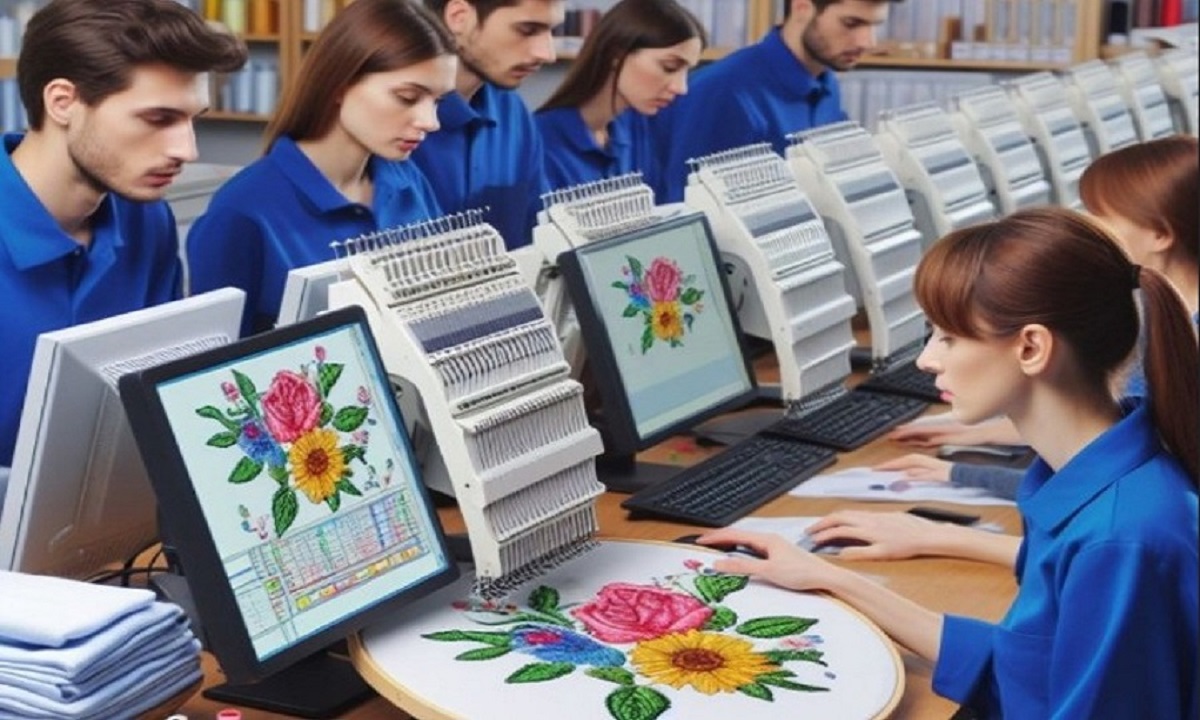
If you want clean, smooth, and professional embroidery, Digitizing Services For Embroidery are the first and most important step. Embroidery machines do not understand images or artwork the way humans do. They need clear stitch instructions. Digitizing is the process that turns artwork into a stitch file that an embroidery machine can read and stitch correctly. Without proper digitizing, even the best logo or design can look messy on fabric.
In this guide, we will walk through the full journey. From artwork preparation to the final stitch file, everything is explained in a simple and beginner-friendly way.
What Are Digitizing Services for Embroidery?
Digitizing services for embroidery convert artwork into a digital embroidery file. This file tells the machine where to stitch, how many stitches to use, which colors to apply, and how the needle should move.
Why Digitizing Is Not Just Tracing
Digitizing is not automatic tracing. It requires skill and planning. A digitizer must think about fabric type, stitch direction, stitch density, and design size. Good digitizing creates embroidery that looks clean, lasts long, and feels smooth.
Why Embroidery Machines Need Digitized Files
Embroidery machines work with stitch data, not pictures.
Difference Between Artwork and Stitch Files
- Artwork files show how a design looks
- Stitch files tell the machine how to sew
Formats like JPG, PNG, or PDF must be digitized into embroidery formats such as DST, PES, EXP, or others.
Step One: Preparing the Artwork
Every good embroidery design starts with good artwork.
Clean and Clear Design
Artwork should have:
- Clear edges
- Solid colors
- No blurry areas
Simple designs digitize better and stitch cleaner.
Vector vs Raster Artwork
Vector artwork is preferred. It has smooth lines and scalable shapes. Raster images can still be digitized, but they may need cleanup before stitching.
Step Two: Choosing the Right Stitch Types
Stitch selection plays a huge role in embroidery quality.
Satin Stitches
Used for borders, text, and small shapes. They give a shiny and clean look.
Fill Stitches
Used for large areas. They cover fabric evenly and add texture.
Running Stitches
Used for fine details and outlines. They keep designs light and flexible.
Step Three: Setting Stitch Direction
Stitch direction affects both look and strength.
Why Direction Matters
- Adds depth and texture
- Prevents fabric distortion
- Improves durability
Good digitizing uses different stitch angles to guide the eye and support fabric movement.
Step Four: Managing Stitch Density
Density controls how close stitches are placed.
Too Much Density
- Causes stiff embroidery
- Can break needles or thread
- Leads to fabric puckering
Too Little Density
- Shows fabric gaps
- Looks weak or unfinished
Balanced density creates clean and soft embroidery.
Step Five: Underlay Stitches
Underlay stitches are the foundation.
Purpose of Underlay
- Stabilizes fabric
- Supports top stitches
- Reduces push and pull
Different underlay types are used depending on fabric and stitch style.
Step Six: Push and Pull Compensation
Fabric moves when stitched.
What Is Compensation?
It adjusts stitch placement to account for fabric movement. Without it, shapes can shrink or stretch after stitching.
Why It Matters
Compensation keeps:
- Circles round
- Text readable
- Edges clean
Step Seven: Color Sequencing
Proper color order reduces machine stops.
Benefits of Smart Color Flow
- Faster stitching
- Fewer thread trims
- Cleaner back side
Good digitizing plans colors efficiently.
Step Eight: File Format Selection
Different machines use different formats.
Common Embroidery File Formats
- DST for Tajima
- PES for Brother
- EXP for Melco
- JEF for Janome
Choosing the correct format ensures machine compatibility.
Step Nine: Test Stitching
Testing is a must.
Why Test Stitching Matters
- Reveals design flaws
- Shows real fabric behavior
- Saves time and materials
Professional digitizing always includes test runs.
Common Mistakes in Embroidery Digitizing
Avoiding mistakes improves results.
Ignoring Fabric Type
Different fabrics need different settings.
Using Auto-Digitizing
Auto tools miss important details and often fail on complex designs.
Overloading Small Designs
Too much detail in small sizes leads to messy stitching.
Benefits of Professional Digitizing Services
Professional services bring experience and precision.
Consistent Quality
Designs stitch the same every time.
Time Savings
No trial-and-error for beginners.
Better Durability
Proper digitizing makes embroidery last longer.
Who Needs Digitizing Services?
Digitizing services are useful for many people.
Businesses
Logos on uniforms, caps, and merchandise.
Apparel Brands
Consistent branding across products.
Embroidery Shops
Efficient production and fewer errors.
Hobbyists
Better results without frustration.
How Digitizing Improves Final Embroidery
Good digitizing:
- Enhances design clarity
- Improves stitch flow
- Reduces machine stress
- Makes embroidery look professional
It is the bridge between artwork and perfect stitches.
Choosing the Right Digitizing Partner
A good digitizing service understands both art and embroidery machines.
What to Look For
- Experience with different fabrics
- Knowledge of stitch mechanics
- Ability to customize designs
- Clear communication
These qualities ensure reliable results.
Final Thoughts
Digitizing is the heart of embroidery. From preparing artwork to creating a stitch-ready file, every step matters. High-quality digitizing ensures your designs stitch cleanly, look professional, and stand the test of time. Whether you are running a business or working on custom projects, investing in proper digitizing makes all the difference. For reliable and expert-level embroidery digitizing, many professionals trust the experience and quality delivered by absolute digitizer.